
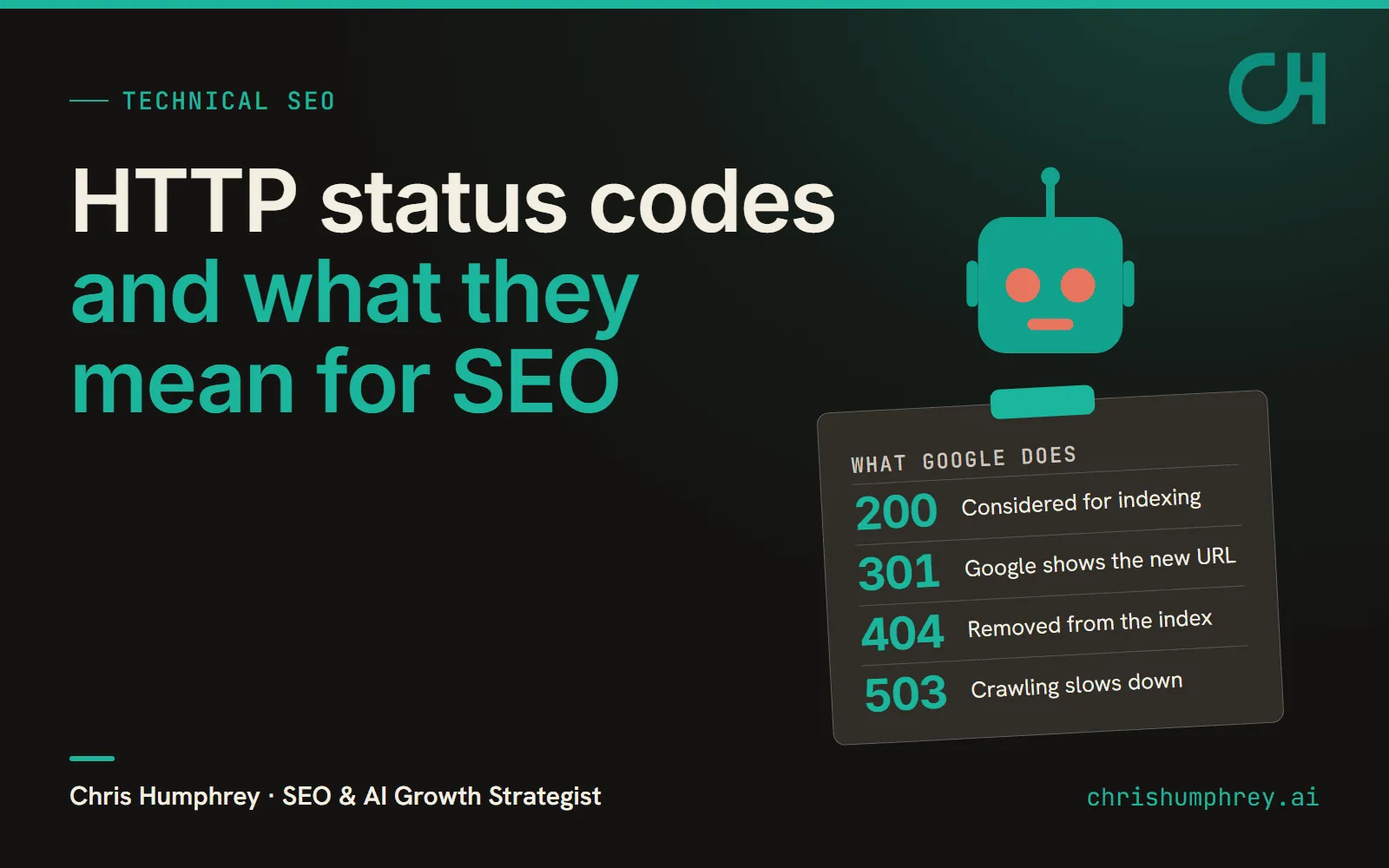
HTTP status codes are the first thing Googlebot reads when it requests a URL, ahead of any of the page’s content, and for SEO that three-digit number decides what Google does next: consider the page for indexing, follow it somewhere else, drop it, or back off and come back later. I read nine of the pages that rank for searches like this one next to Google’s own crawling documentation, and most of what they disagree about (whether a 410 beats a 404, how much link value a 301 keeps) is answered in Google’s docs, which are linked at the bottom.
Which HTTP status codes matter for SEO?
All four families of HTTP response codes change how Google treats a URL. A 2xx means the request worked and the content can be considered for indexing, though Google says it “doesn’t guarantee indexing.”1 A 3xx sends Google somewhere else. Any 4xx except 429 gets an indexed URL removed (a newly discovered 404 isn’t processed at all), and a 5xx or 429 makes Google crawl more slowly.1
| Code | What Google does | What to return when |
|---|---|---|
| 200 (2xx) | Content can be considered for indexing; not guaranteed | The page exists and has real content on it |
| 301 / 308 | Strong signal; target treated as canonical and shown in results | The page has moved for good |
| 302 / 307 | Weak signal; shows the source page in results | A short-term move you plan to undo |
| 404 / 410 | Removes an indexed URL; both treated the same; crawling slows | The page is gone and nothing replaces it |
| Soft 404 (a 200 with error content) | Reported as a soft 404 in Search Console; keeps getting crawled | Never on purpose; fix it with a real 404, a 301, or real content |
| 401 / 403 | Treated like any other 4xx; not to be used to limit crawling | Content that’s private on purpose |
| 429 | Counted as a server error; crawling slows | Briefly, when bots are overloading the server |
| 500 / 503 (5xx) | Crawling slows; URLs that keep erroring get dropped | Real outages, and a 503 for planned maintenance |
The middle column comes from Google’s docs,123 and the right column is my own call on when to use each code.
Per Semrush, “404 error” gets 18,100 US searches a month, while the exact phrase “http status codes seo” gets about 10, so the sections below go one code at a time (my guess is people search for whichever code just showed up in Search Console or a crawl report).
To see what a URL actually returns, curl -I https://example.com/page prints the status line first, and the Network tab in Chrome DevTools shows the code for every request a page makes. URL Inspection in Search Console tells you what Googlebot got on its last visit. I’d start there. My content visibility checker fetches a page the way a crawler does and flags any 4xx or 5xx response.
301 vs 302 redirects for SEO
Use a 301 (or a 308, which Google handles the same way) when a page has moved permanently. Google’s HTTP errors doc calls a permanent redirect a “strong” signal that the target should be processed and a 302 or 307 a “weak” one.1 The redirects guide says only the permanent kind tells Google the target should be canonical.2 That’s why a permanent redirect puts the new URL in search results and a temporary one leaves the source page there.2 A 302 left in place after a site move keeps Google showing the old URL. I’d switch it to a 301 the day someone notices.
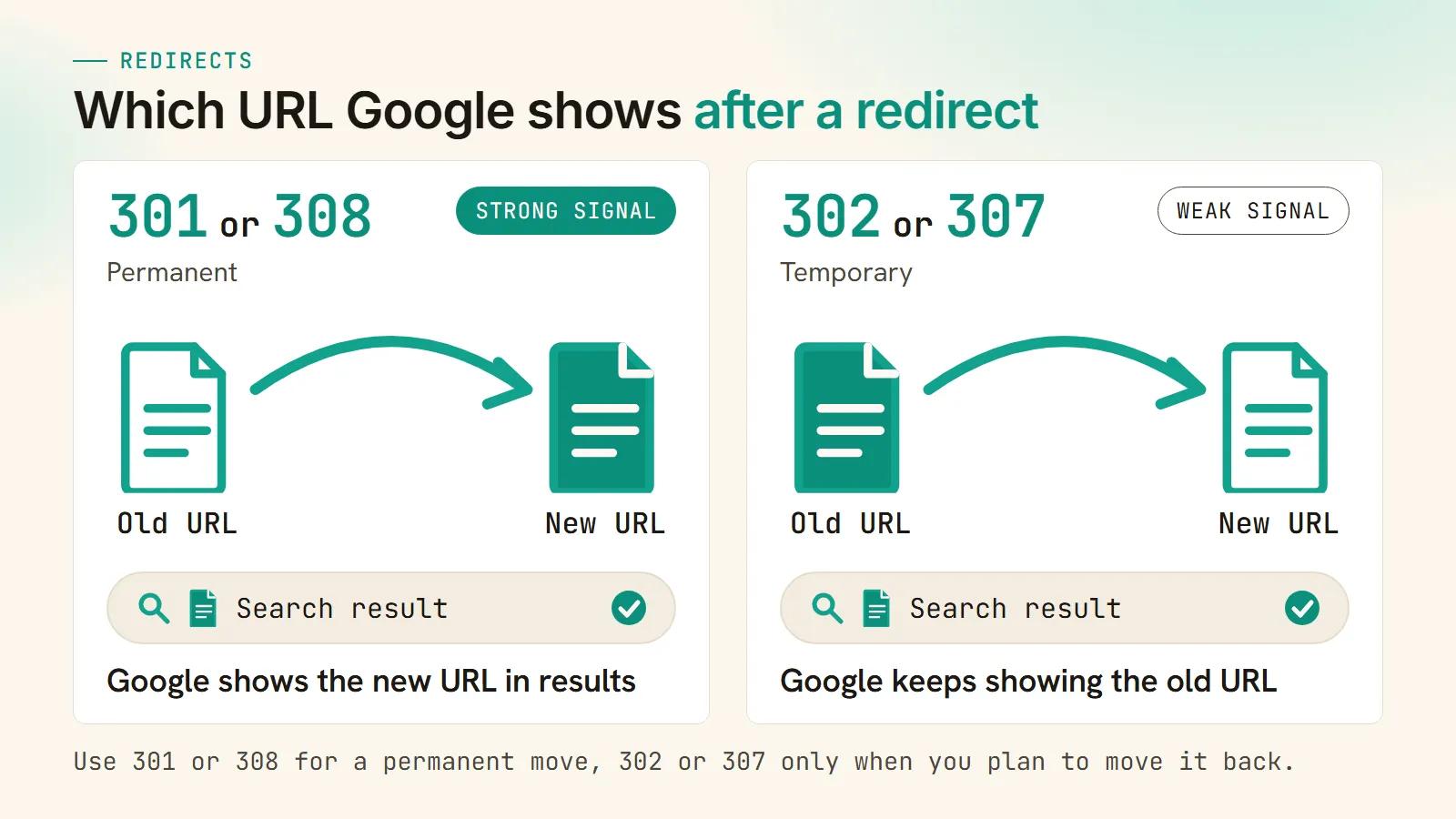
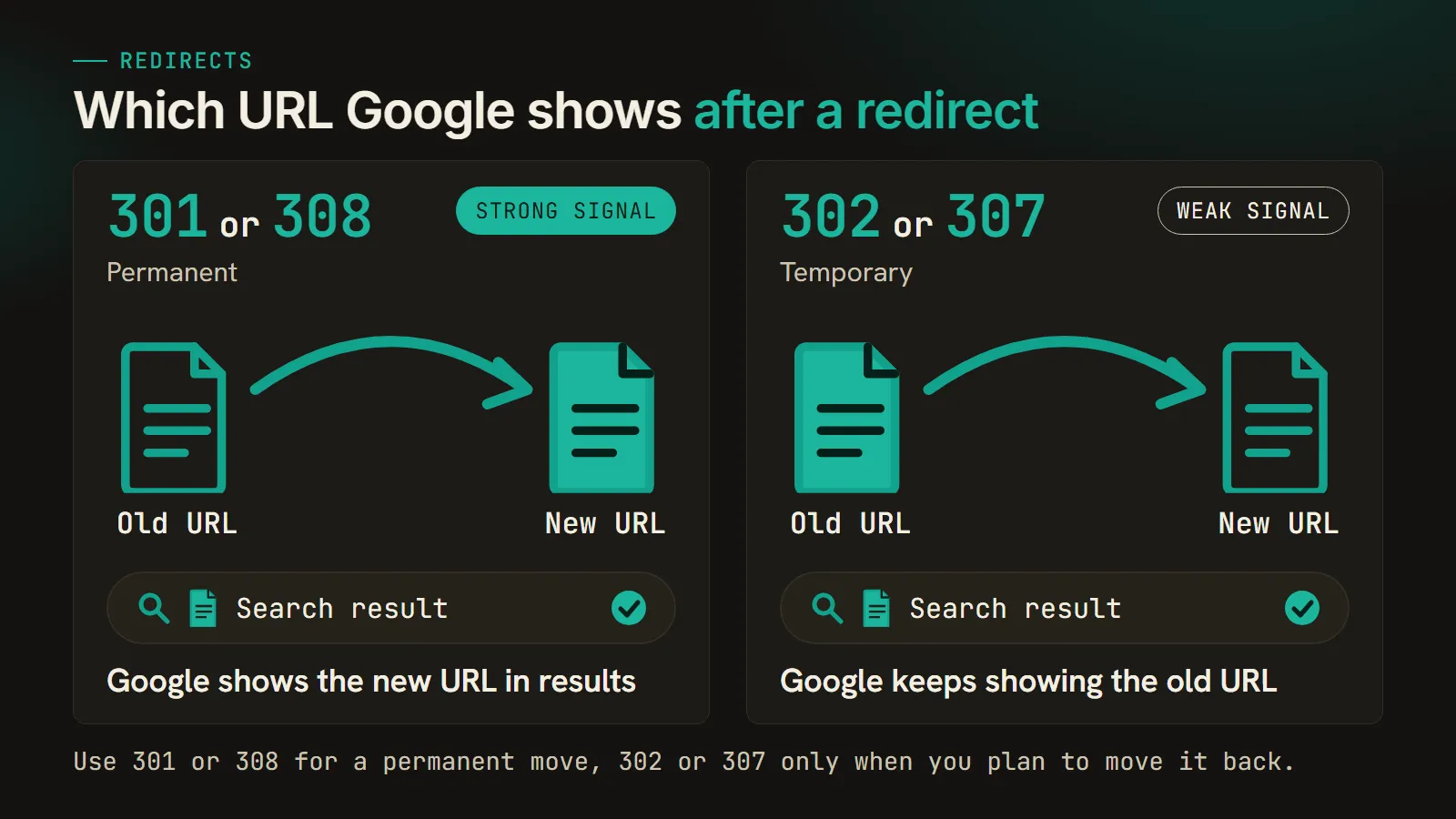
Google recommends “a permanent server-side redirect whenever possible.”2 An instant meta refresh also gets read as permanent, and JavaScript redirects are meant for when you can’t do either of those.2
Several of the top-ranking pages put a number on how much link equity a 301 keeps, and the AI answers did too (Google’s AI Mode told me 90 to 99% in one answer and “up to 100%” in the next, and Bing said 100%). Google’s docs give no percentage. The site-move guide says “301 and other permanent redirects don’t cause a loss in PageRank,” and asks you to keep redirects in place “generally at least 1 year.”4
By default, Google’s crawlers will follow up to 10 redirect hops,1 and the crawl budget guide says long redirect chains have “a negative effect on crawling.”3 When I moved an 88-post blog off WordPress every post kept its exact permalink, so there was nothing to redirect, but on a migration where URLs do change I check that each old URL reaches its new home as a 301 in one hop, without a stop at an http:// version or a trailing-slash variant on the way.
Are 404 errors bad for SEO?
No, not on their own. A 404 tells Google the page is gone: an indexed URL that returns one gets removed, and Google gradually crawls it less often.1 Google’s crawl budget guide tells you to return “a 404 or 410 status code for permanently removed pages.”3
A 404 starts costing you when it’s on a URL that used to rank or still has links pointing at it, which usually means a migration that lost its redirects, and I’d 301 each of those to the closest replacement page. For the rest (old tag archives, a mistyped URL that only ever shows up in your server logs) I’d leave the 404 alone.
Google’s docs say “all 4xx errors, except 429, are treated the same,”1 so it doesn’t matter whether a deleted page returns a 404 or a 410, and John Mueller has said the difference in processing is “so minimal” that he can’t think of a time he’d prefer one over the other for SEO purposes.5 Some of the pages ranking for this still say a 410 gets a page out of the index faster, and when I asked Google’s AI Mode, ChatGPT and Bing the same question, two of the three repeated it.
| Engine | What it said about 410 | What Google documents |
|---|---|---|
| Google AI Mode | Processed “much faster” than a 404 (said in answers to both prompts) | All 4xx except 429 treated the same |
| Bing | ”Faster de-indexing than 404” | All 4xx except 429 treated the same |
| ChatGPT search | Google “treats 410 similarly to 404 for indexing purposes” | Matches |
I ran each engine once, logged out, and gave AI Mode two prompts (“HTTP status codes and what they mean for SEO” and “how do HTTP status codes affect SEO”) but ChatGPT and Bing only the first; these answers move around from day to day. Google didn’t show an AI Overview for either prompt, and Perplexity wanted me to sign up first.
What is a soft 404 and how do you fix it?
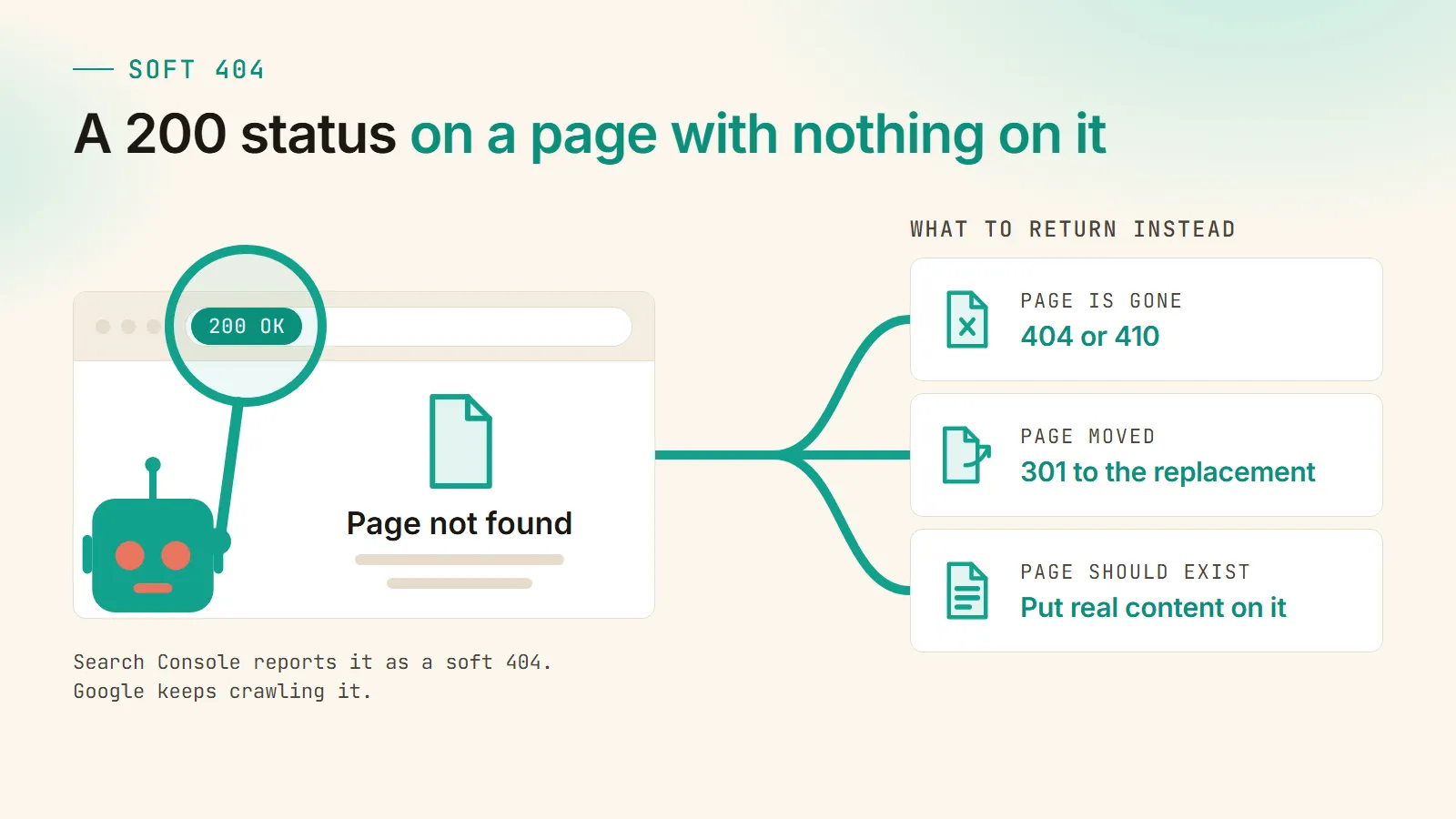
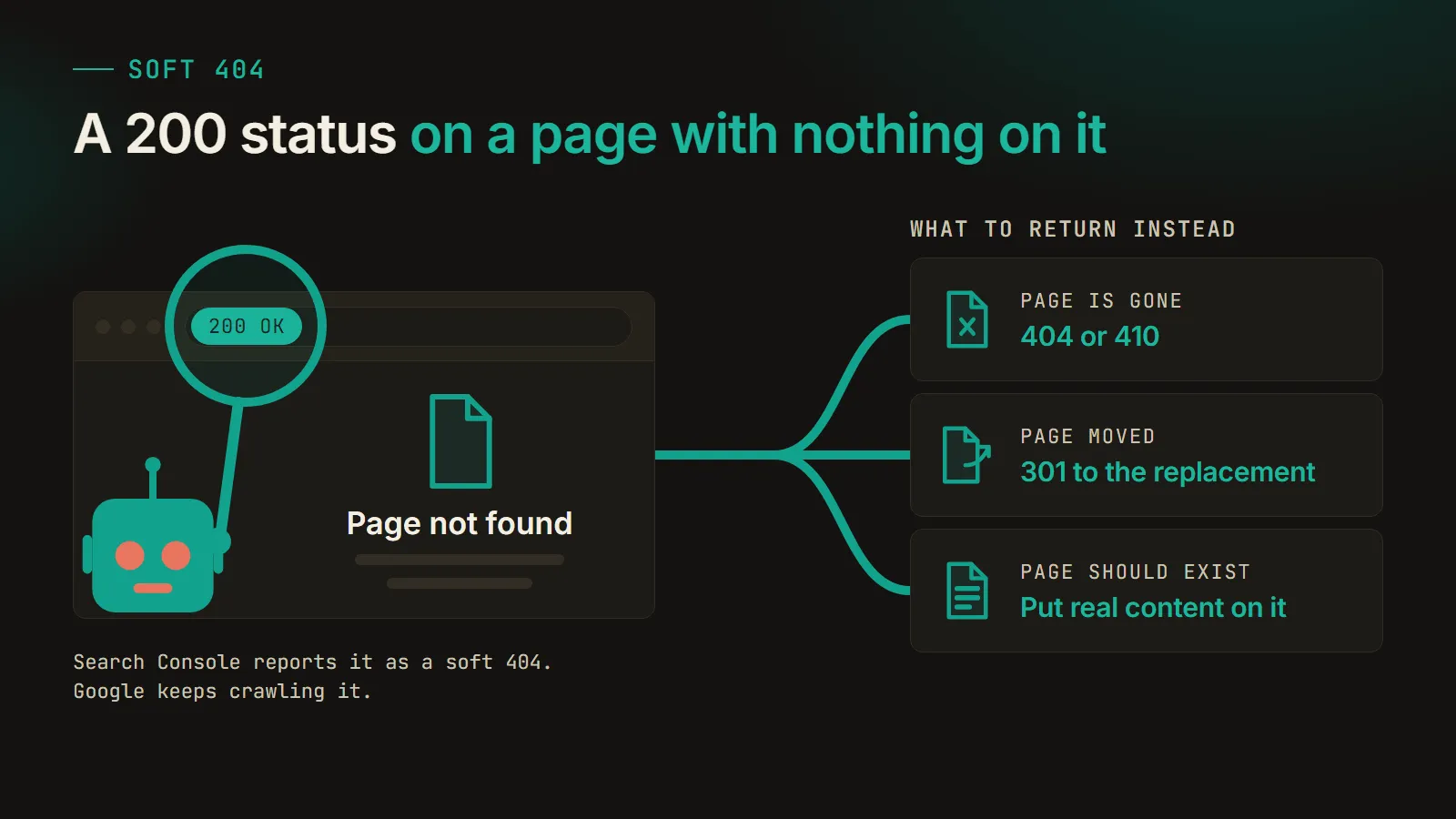
A soft 404 is a page that returns a 200 but shows an error message, an empty page, or nothing useful, and Search Console reports it as a soft 404.1 It’s the one problem on this list I’d go looking for. The server is telling Google everything is fine, and Google’s crawl budget guide says those pages “will continue to be crawled, and waste your budget.”3
I ran into a lot of them in my llms.txt study, where 1,050 of the top 10,000 sites returned a 200 when I requested /llms.txt and 313 of those served an ordinary HTML page instead of a file, which is a soft 404 by any definition.
Search Console’s Page indexing report lists the ones Google found under “Soft 404.” What to return depends on what the URL should be: a real 404 or 410 if the page is gone, a 301 to the replacement if it moved, and if it’s meant to exist, someone has to put real content on it. I’d skip the shortcut of pointing every dead URL at the homepage.
5xx, 503 and 429 during outages and maintenance
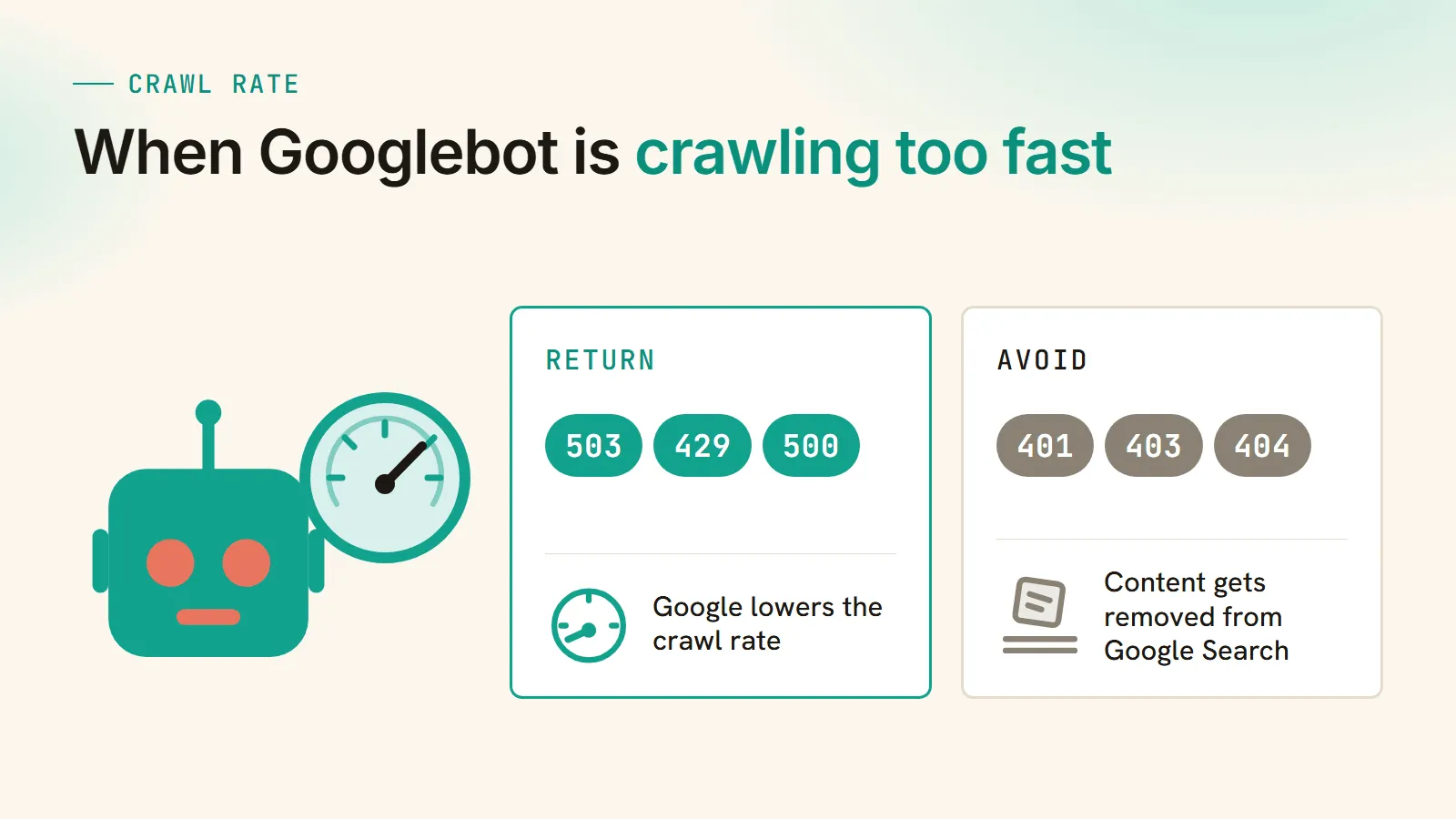
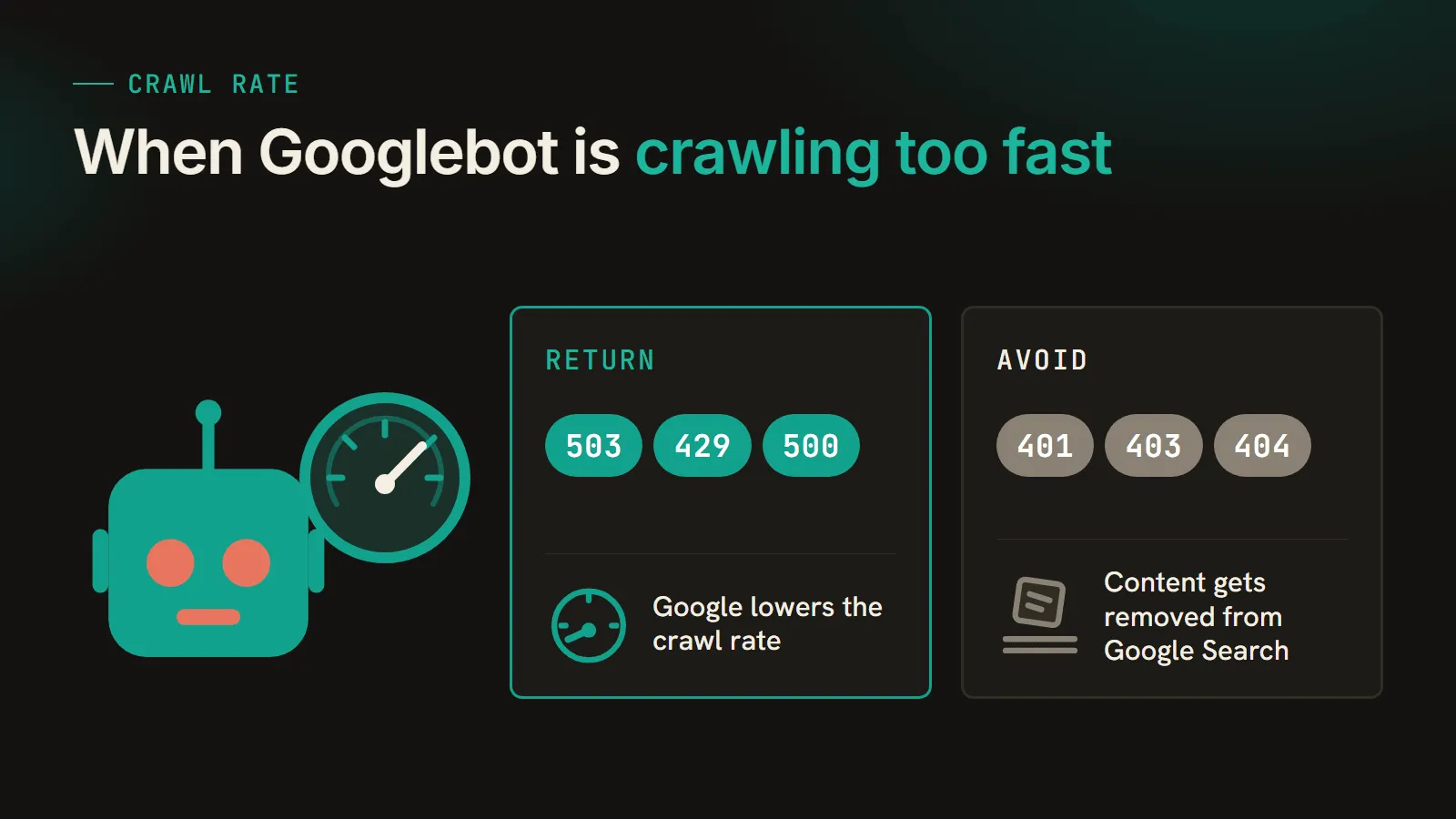
A 5xx or a 429 tells Google the server is in trouble, so Google lowers the crawl rate for the site, and URLs that “persistently return a server error” (Google doesn’t say how long that is) are removed from the index; once the server starts returning 2xx again, Google “gradually increases the crawl rate.”1
For planned maintenance I’d return a 503 and keep the window as short as the work allows. If it’s Googlebot that’s overloading the server, Google’s 2023 post on rate limiting says to “return a 500, 503, or 429 HTTP status code to Googlebot when it’s crawling too fast,”6 and a 429 counts as a server error (the same as any 5xx).1
Don’t reach for a 401, 403 or 404 to slow Googlebot down. Google’s docs say not to use 401 and 403 for limiting the crawl rate, and the same 2023 post says every 4xx except 429 “will cause your content to be removed from Google Search.”16
Frequently asked questions
Are 404 errors bad for SEO?
Not by themselves. A 404 tells Google the page is gone, so an indexed URL that returns one is removed and crawled less often over time. It becomes a problem when the URL used to rank or still has links pointing at it, usually after a migration that went out without a redirect map. Those should 301 to the closest replacement.
What's the difference between a 301 and a 302 redirect for SEO?
A 301 is permanent and a 302 is temporary. Google treats a 301 as a signal that the new URL should be canonical and shows it in search results. A 302 isn't treated that way, so Google keeps showing the original URL. Use a 301 or 308 for anything that has moved for good, and a 302 or 307 only when you plan to move it back.
Should I use a 404 or a 410 for a deleted page?
Either one. Google's documentation says all 4xx errors except 429 are treated the same, and John Mueller has said the difference between the two is so small he can't think of a case where he'd pick one over the other for SEO purposes. The common claim that a 410 removes a page faster isn't in Google's docs.
What is a soft 404?
A soft 404 is a page that returns a 200 success code but shows an error, an empty page, or nothing useful. Google reports these in Search Console and keeps crawling them, which wastes crawl budget. Fix it by returning a real 404 or 410 if the page is gone, a 301 if it moved, or by putting real content on it if it should exist.
How long can a site return 503 before Google drops pages?
Google doesn't give a number. Its documentation says URLs that persistently return a server error are removed from the index, without defining persistently. Keep planned downtime as short as the work allows and get the server back to returning 200s as soon as it's done.
Related reading
More on site migrations and redirects.
Sources
-
Google Search Central, How HTTP status codes, and network and DNS errors affect Google Search (updated February 4, 2026). Source for 2xx not guaranteeing indexing, 301 as a strong signal and 302 as a weak signal, the 10-hop redirect limit, 4xx removing indexed URLs and being treated the same except 429, soft 404 reporting, 429 counting as a server error, and crawl rate falling on server errors and recovering on 2xx. ↩ ↩2 ↩3 ↩4 ↩5 ↩6 ↩7 ↩8 ↩9 ↩10 ↩11
-
Google Search Central, Redirects and Google Search (updated April 14, 2026). Source for permanent redirects showing the target and temporary redirects showing the source in results, the server-side recommendation, instant meta refresh read as permanent, and JavaScript redirects as a last resort. ↩ ↩2 ↩3 ↩4 ↩5
-
Google Search Central, Large site owner’s guide to managing your crawl budget (updated July 22, 2026). Source for returning a 404 or 410 for permanently removed pages, soft 404 pages continuing to be crawled and wasting budget, and long redirect chains hurting crawling. ↩ ↩2 ↩3 ↩4
-
Google Search Central, Site moves with URL changes (updated August 20, 2026). Source for permanent redirects not causing a loss in PageRank and keeping redirects for generally at least 1 year. ↩
-
Search Engine Roundtable, Google: Differences Between 410 and 404 Is Too Minimal (April 11, 2024), quoting a Reddit comment from John Mueller. ↩
-
Google Search Central Blog, Don’t use 403s or 404s for rate limiting (February 17, 2023). Source for returning a 500, 503 or 429 when Googlebot crawls too fast, and for 4xx codes other than 429 removing content from Google Search. ↩ ↩2
Working on this same shift?
I write about SEO, GEO, and getting found by AI search.
If this resonated, I'd love to compare notes.